Visual builder and theme builder
Drag and drop blocks, tabs, sliders and pricing tables. Design headers, footers, templates and popups that show by condition.
New Site Editor 2: theme builder, popups and 20 new blocks
Verso is an open source CMS with a visual builder, forms, SEO, a shop, newsletters, roles and 15 languages in one install. Your clients build without plugins. You extend it with the Laravel you already know.
MIT licensed · PHP 8.4+ · SQLite, MySQL or PostgreSQL · Docker
Features
The plugins most WordPress sites add on day one are part of Verso, as tested modules you can turn off.
Drag and drop blocks, tabs, sliders and pricing tables. Design headers, footers, templates and popups that show by condition.
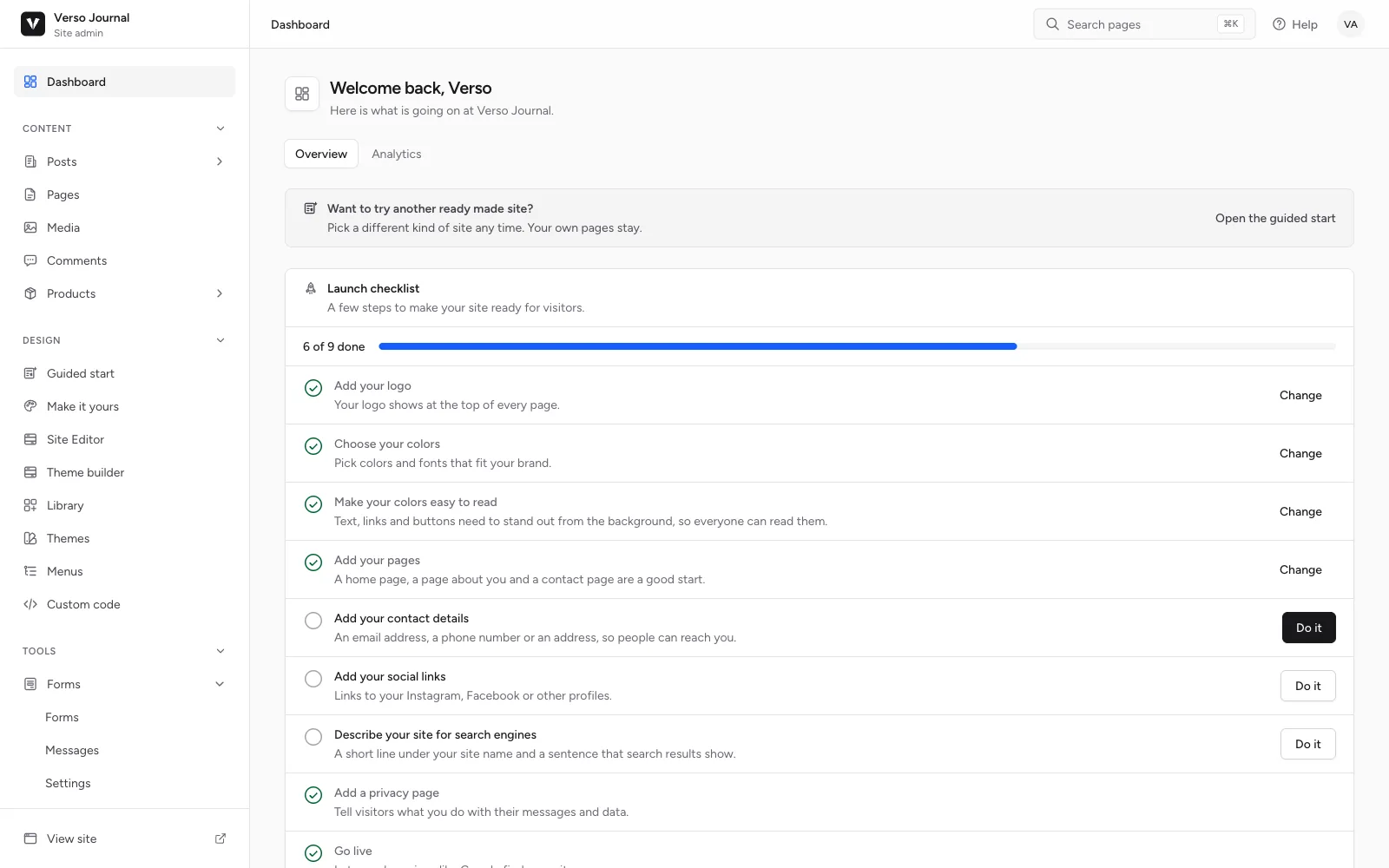
For people who never touched a CMS. Answer one question and get a full starter site.
Every plugin and theme zip is scanned in a sandbox before install.
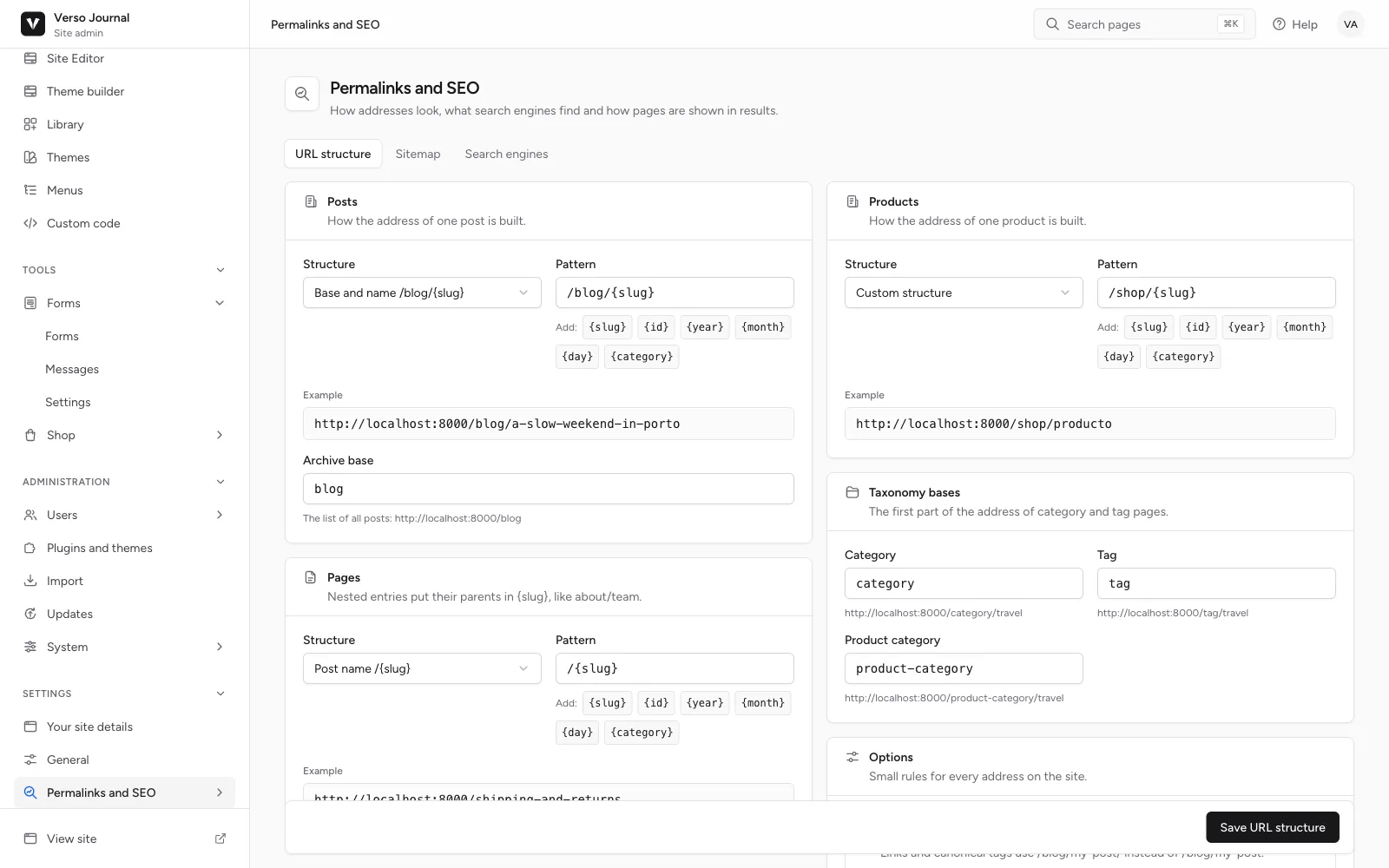
Friendly URLs, sitemap, structured data, live analysis with snippet previews, broken link checks and a 404 monitor that suggests redirects.
A role matrix, custom roles, per user grants and "View as Editor".
Each person picks the admin language. Arabic mirrors the whole admin.
en es de fr it pt ru ar hi bn zh ja ko id tr
Page cache with ETags, CSS per page, block JavaScript only where used.
Update from the admin with a backup first. Import from WordPress.
Why Verso
WordPress is great and huge. Verso keeps what people love and moves the usual plugins into the core, on a modern framework with a real test suite.
Plugins
A plugin is a folder with a verso.json, a service provider and your code. Routes, models, migrations and React screens work the way you already write them.
plugins/bookings/verso.json
{
  "name": "Bookings",
  "slug": "bookings",
  "version": "1.0.0",
  "admin": { "group": "tools" },
  "capabilities": ["bookings.manage"]
}
In the box
Forms
Builder, inbox, CSV export and spam checks.
Shop
Cart, checkout, orders, bank transfer and Stripe.
Newsletter
Double opt-in, lists, campaigns made with blocks.
Memberships
Plans, access levels, members only content.
Analytics
Visitor stats with no cookies, no personal data.
AI Assistant
Rewrites, SEO tags, alt text and translation.
Reading Time
Minutes to read, as a block and in the API.
Builder Example
A starter that adds a block, a style and a panel.
01
Upload a zip
Or drop the folder in plugins/.
02
Read the report
A risk level before anything runs.
03
Turn it on
The menu shows where it lives.
Themes
Plain Blade views, one theme.json and your CSS. Verso checks your theme and renders it with demo content before you ship it.
01
No code
Style Ashgrove in the Site Editor, then "Create child theme".
02
Child theme
Set a parent and override only the views you want.
03
From scratch
Generate the skeleton and write seven views.
$ php artisan verso:make-theme harbor
✓ Created themes/harbor

$ php artisan verso:verify-theme themes/harbor
✓ Required views found
✓ No risky code
✓ Home, entry and archive rendered
Risk: low
{
  "name": "Harbor Dusk",
  "slug": "harbor-dusk",
  "parent": "harbor",
  "version": "1.0.0",
  "editor": { "units": ["px", "rem", "%"] }
}@extends('theme::layouts.app') @section('content') @include('theme::partials.post-grid', ['entries' => $entries]) @endsection
Tech stack
Laravel 13 · PHP 8.4+
Routing, queues, cache, mail
Inertia 3 · React 19
A fast single page admin
Tailwind 4 · shadcn/ui
Accessible components
Tiptap · CodeMirror 6
Visual and code editing
Blade themes
Server rendered, cache friendly
SQLite · MySQL · Postgres
Picked in the install wizard
Pest · Playwright · PHPStan
Tests and types on every change
Docker · amd64 and arm64
Official image, one compose file
FAQ
Yes. Verso is open source under the MIT license, with no paid edition. Every feature, including the bundled plugins, is free.
Verso is built on Laravel and includes what most WordPress sites add with plugins: a page and theme builder, SEO analysis, forms with spam checks, a roles editor, popups and redirects. Plugins and themes are scanned before they are installed.
PHP 8.4 or newer and SQLite, MySQL or PostgreSQL. Install it with composer create-project victoragudo/verso, or upload the release zip, which includes all dependencies. To try it without PHP, run it with Docker: one compose file starts Verso and MariaDB. A web wizard then sets up the database and the admin account.
Yes. Themes are Blade views with a theme.json file, and plugins are folders with a verso.json manifest and a Laravel service provider. Verso checks both before install.
Yes. Download one compose file and run docker compose up -d. It starts the official image ghcr.io/victoragudo/verso, built for amd64 and arm64, and MariaDB, with no PHP, Composer or Node.js on your computer. Your site lives in Docker volumes, and docker compose pull updates it to the latest version.
One command, then open the browser. The wizard asks for the database, your admin account and what your site is for.